After installing WSSetup on work station sometimes Sage 300 ERP (formerly known as Sage Accpac ERP) shows error message “You do not have a license to use this product!” even after you have a genuine license of Sage 300 ERP.
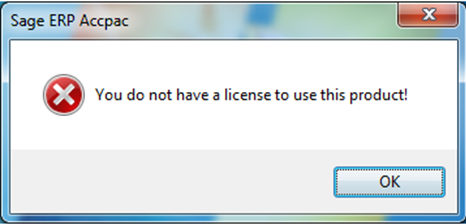
Reason 1: At the time of WSSETUP user might not have full access rights to access Sage directory where Sage 300 ERP was installed.
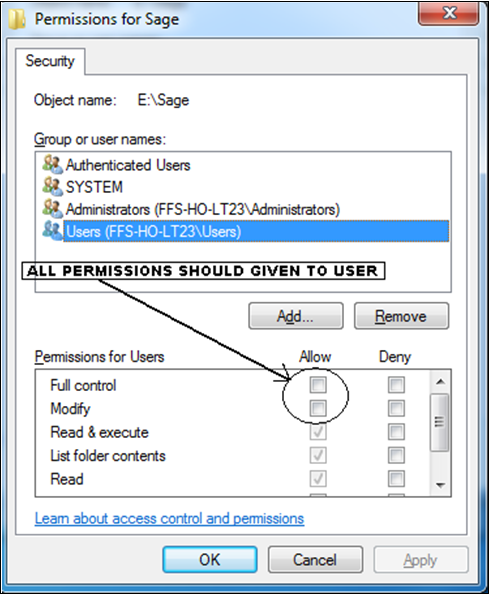
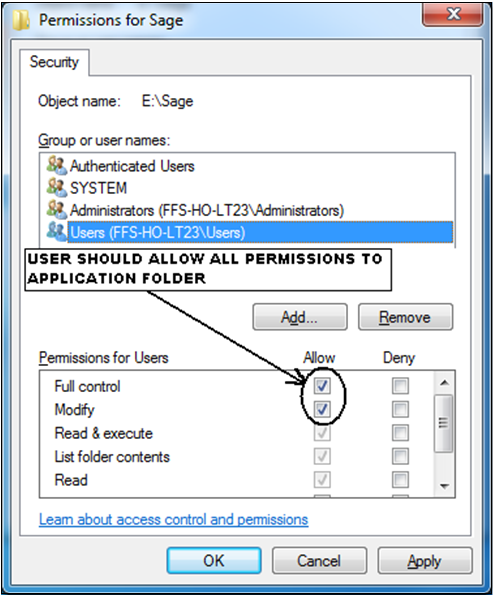
Solution: Provide full access rights to user OR login as Administrator and then install WSSETUP on Work-station.
Thus, to provide access right to User navigate to Sage application folder where Sage 300 ERP is installed (its default path would be C:\Program Files\Sage), Right click on Sage folder and go to Sharing and Security options to provide access rights.
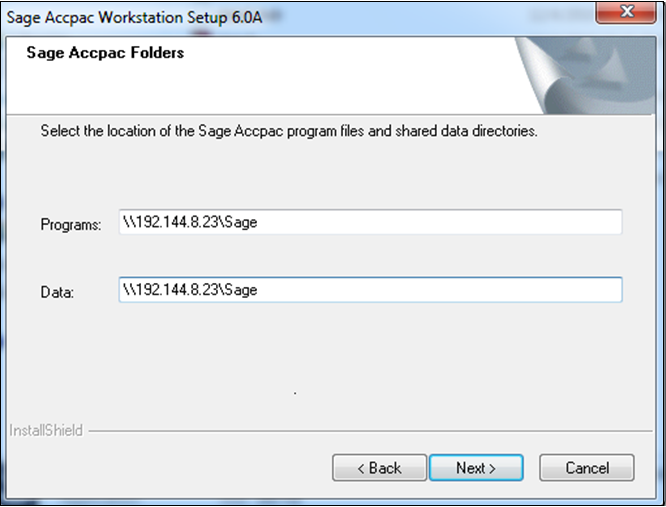
Reason 2: It may because of wrong share data directory selected at the time of WSSETUP installation.
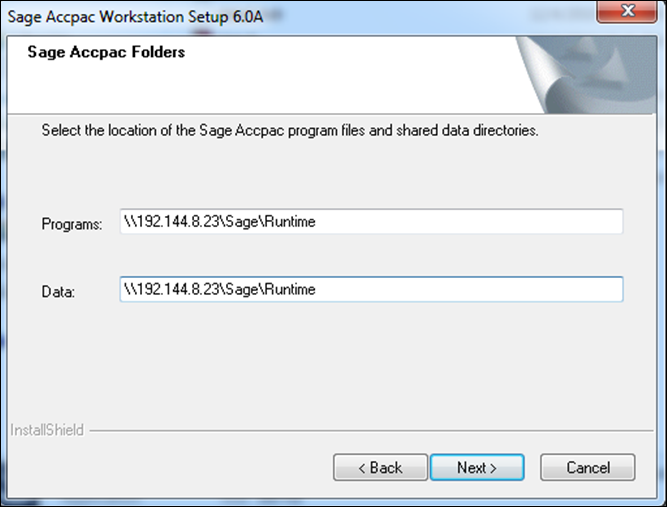
Solution: Provide correct path of Sage 300 Application directory installed on server.
Thus, for providing correct path, re-run Sage 300 ERP workstation setup and select Repair option, then navigate to ‘Sage 300 ERP Folders’ and make sure the Program and Data path is rightly selected as that of the server application path.
Thus, by taking care of these small but important steps while installing/settings one can ignore above mentioned error.


 Posts
Posts

